PowerBI Premium Capacity Monitoring Tool

What Is The PBI Premium Capacity Metrics App?

The Premium Capacity Monitoring Tool is an essential solution for organizations leveraging Power BI and Microsoft Business Intelligence (MS BI). This tool allows businesses to monitor their Power BI Premium capacities effectively, providing critical insights into resource utilization and performance metrics. By enabling users to track essential KPIs, such as dataset refresh rates, workspace usage, and report performance, organizations can identify inefficiencies and optimize their resources. This proactive approach not only enhances the overall performance of Power BI environments but also aids in cost reduction by ensuring that capacities are used effectively across teams.
Moreover, the Premium Capacity Monitoring Tool empowers Power BI developers and data analysts to make informed decisions based on real-time data. By providing a comprehensive view of capacity metrics, organizations can streamline operations, manage datasets more efficiently, and improve collaboration across departments. With seamless integration into the Power BI ecosystem, this tool facilitates better management of analytics processes, leading to enhanced reporting and business intelligence outcomes. Additionally, organizations can leverage this tool to maintain compliance and governance standards, ensuring that data management practices align with corporate policies. Overall, the Premium Capacity Monitoring Tool is pivotal for any organization looking to maximize the benefits of their Power BI investment and drive business performance through effective data management.


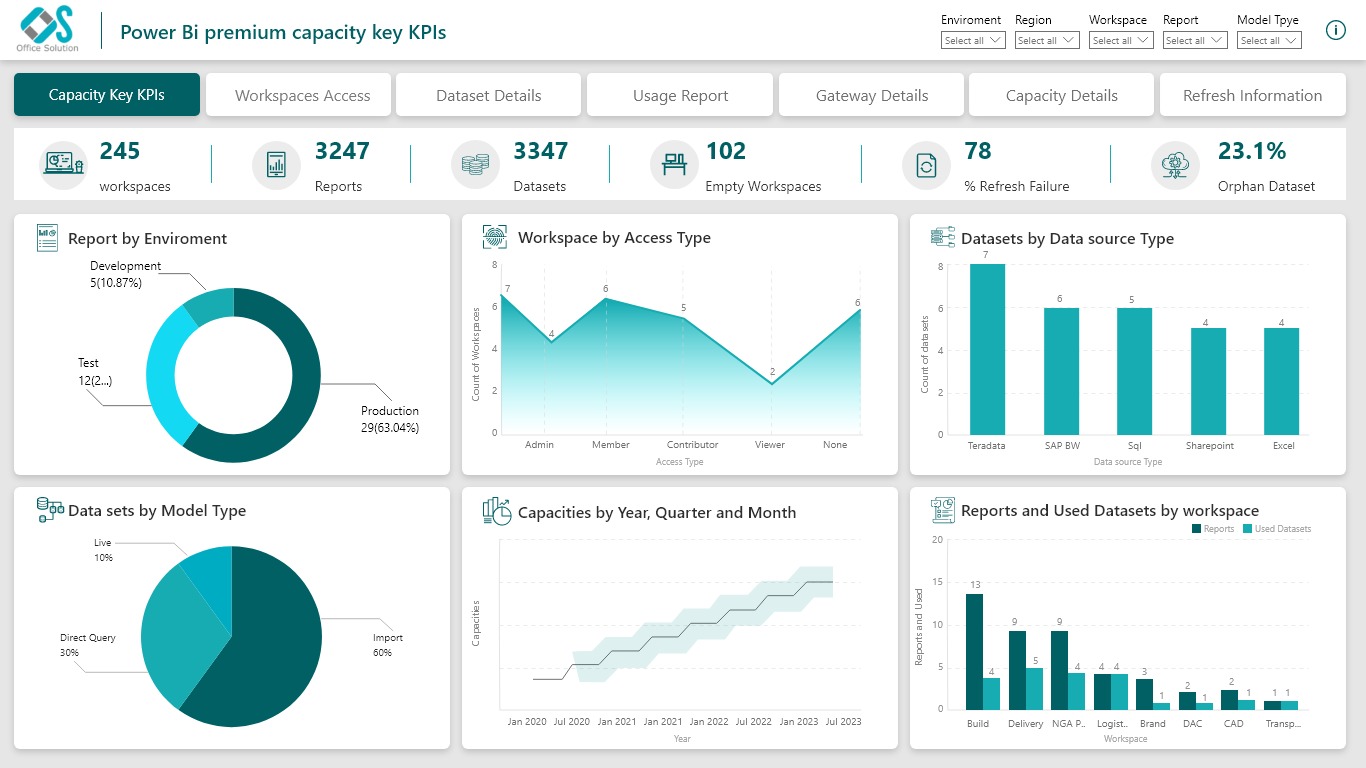
Monitoring Tool
The Premium Capacity Monitoring Tool is essential for capacity optimization in Power BI environments, enabling organizations to monitor real-time metrics and effectively allocate resources across departments. By optimizing capacities in Power BI, MS Power BI, and Power BI Online, teams can reduce costs, enhance performance, and maintain a seamless experience in their Microsoft Business Intelligence (MS BI) environments.
Another key use case is report and dataset governance. Power BI developers and administrators can use the tool to manage report usage and dataset refresh schedules, ensuring data remains relevant. This tool integrates well with Excel BI and Tableau Power BI, helping teams maintain efficient operations and effective data governance across Power BI and MS PowerBI workspaces.


