Driving Corporate Efficiency: Why US Enterprises are Standardizing on a Unified Tableau to Power BI Migration Framework
 0|
0| 0
0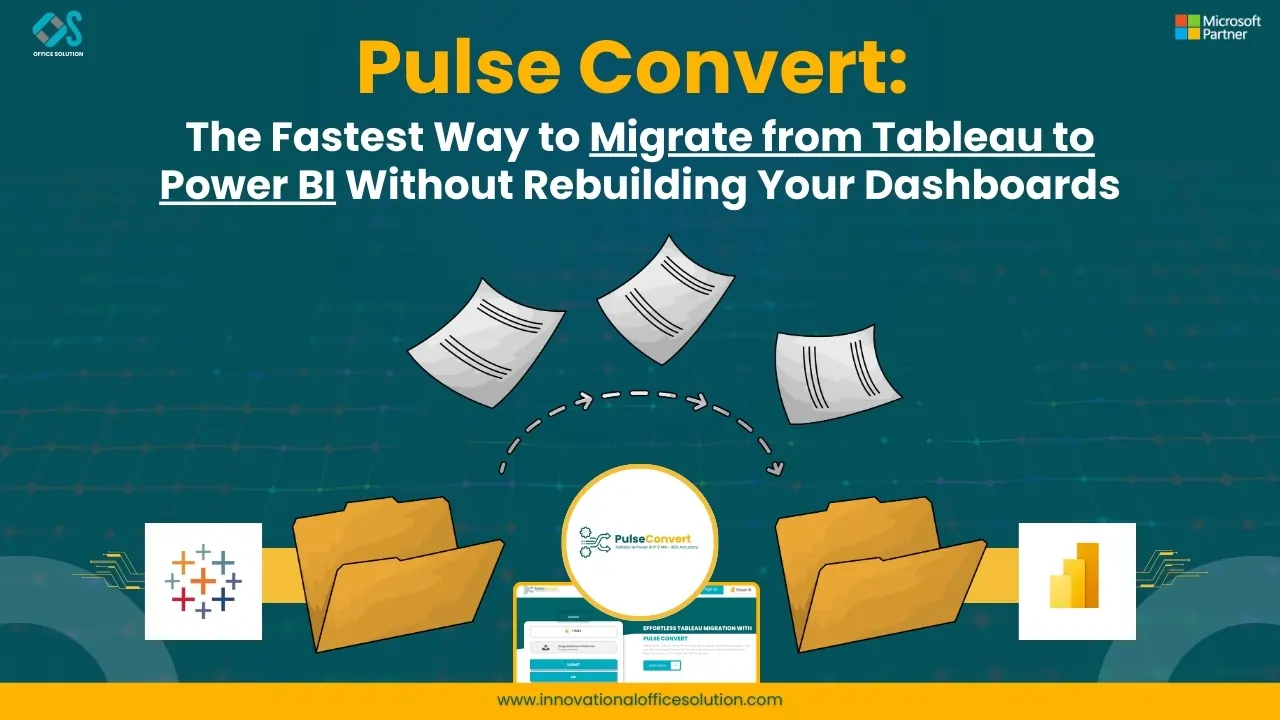
Table of Contents
Modern corporate technology leadership centers around maximizing operational speed, reducing vendor complexity, and eliminating wasted software spend. As organizations look to build highly integrated, cloud-native data infrastructures, managing multiple separate business intelligence environments has become a clear bottleneck. Across the United States, forward-thinking Chief Information Officers are prioritizing platform consolidation to drive cross-departmental collaboration. Successfully executing a comprehensive Tableau to Power BI migration has emerged as a vital step in modernizing data pipelines, strengthening information governance, and accelerating digital transformation across the enterprise.
For a long time, companies accepted the inefficiencies of fragmented reporting tools because the effort required to change systems felt too daunting. Manually rebuilding hundreds of complex corporate reports from scratch was a massive technical barrier, requiring thousands of hours of data engineering labor and risking costly business disruption. However, with the rise of modern, automated transition frameworks, companies can now migrate entire report portfolios with unmatched speed and precision. This software-driven evolution allows businesses to modernize their analytics infrastructure, protect data integrity, and unlock the true value of their cloud data investments.
The Financial and Operational Advantages of Platform Consolidation
Operating separate, disconnected business intelligence applications across different departments introduces severe financial and technical inefficiencies. US corporations face significant budget pressure from overlapping software licensing fees, separate infrastructure maintenance costs, and specialized support contracts for each tool. Beyond these direct expenses, maintaining duplicate data environments forces internal IT teams to build redundant data pipelines, creating fragmented data governance and wasting valuable cloud storage space.
Operationally, a fragmented analytics environment makes it almost impossible to maintain a single source of truth across the business. When the marketing department, finance team, and operations group all use different platforms with unique data modeling layers, key performance metrics can easily diverge. These data discrepancies lead to unproductive internal debates during critical executive meetings about which report displays the "correct" numbers, delaying strategic decision-making and stalling corporate initiatives.
By standardizing on a single, unified enterprise data ecosystem, corporations can establish clear, consistent data quality standards across all business units. A unified cloud-native analytics platform integrates naturally with modern cloud data warehouses, identity management services, and everyday office productivity tools. This tight integration allows business users to view live operational insights directly inside their daily communication hubs, turning data analysis from an isolated, specialized task into a natural, collaborative workflow.
Why IT Leaders Choose to Migrate from Tableau to Power BI
The decision to migrate from Tableau to Power BI is heavily driven by the desire for deeper integration within the broader enterprise software stack. Modern businesses run their daily operations on cloud platforms that manage identity, collaboration, and data storage. Transitioning to a business intelligence platform that integrates natively with these existing environments allows organizations to leverage their established infrastructure, resulting in superior performance, simpler user administration, and automated report updates.
Security governance provides another major reason for this strategic transition. Managing user access across multiple separate reporting platforms complicates regulatory compliance and increases data security risks. A unified enterprise analytics platform allows IT administrators to configure row-level security, data classification tags, and user permissions from a single, centralized console. This centralized management ensures that sensitive corporate data remains fully protected and aligned with strict industry regulations without adding heavy operational overhead for IT teams.
Furthermore, the economics of modern enterprise licensing favor unified platform consolidation. Packaging business intelligence capabilities into existing cloud productivity agreements allows organizations to dramatically reduce their standalone software spend. These massive cost savings can then be redirected toward high-value innovation projects, such as building predictive AI models, modernizing data lakehouses, or training employees on advanced data analytics, driving much higher long-term business value.
Navigating an Enterprise Migration from Tableau to Power BI Safely
Executing a large-scale reporting consolidation project requires a highly systematic execution methodology to manage risk. A successful migration from Tableau to Power BI depends on breaking down the transition into highly structured phases, starting with a comprehensive server-wide audit. This deep discovery phase maps out every active data source connection, catalogs user access patterns, and uncovers hidden complexities within existing calculations before any code modification begins.
Comprehensive Server Audit & Asset Discovery
Structural Data Schema & Calculation Translation
Automated Side-by-Side Data Validation Validation
Phased Departmental Rollout & Change Management
Once the initial scoping phase is complete, developers focus on structural schema translation and metric migration. This step requires converting proprietary dashboard calculations into optimized expressions that align with the destination platform's calculation engine. During this process, data architects can identify opportunities to simplify historical workarounds, optimize data models, and clean up technical debt, ensuring that the newly deployed dashboards run significantly faster and more efficiently than the legacy systems they are replacing.
The final phase involves rigorous quality assurance and user validation testing. Rather than relying on slow, manual spot-checking, modern migration projects use automated testing frameworks that run identical data queries across both systems simultaneously. This cell-by-cell data validation guarantees absolute reporting accuracy before production dashboards go live. Once validation is complete, the focus shifts to structured user onboarding, ensuring business teams feel confident and fully supported as they transition to their new reporting environment.
Streamlining Enterprise Analytics: The Pulse Convert Solution
Pulse Convert , developed by Office Solution AI Labs , is a specialized automation software engine built to eliminate the costly, slow, and error-prone bottlenecks of manual business intelligence migrations. Recreating hundreds of enterprise dashboards from scratch traditionally forces data developers to manually inspect visual elements and re-type complex transformation formulas, stalling crucial digital transformation goals. Accelerating the conversion journey via Pulse Convert automation completely changes this dynamic by analyzing the underlying XML metadata of your existing reporting files, extracting core calculation logic, and instantly converting those definitions into fully compatible DAX expressions. By automating code translation and delivering a guaranteed 75% to 90% automated migration of your dashboards and backend logic, the tool allows your development team to bypass the heavy lifting and focus entirely on final visual design and user onboarding. Supported by our field-tested migration blueprints, enterprise teams can experience this streamlined process firsthand by visiting our contact page to request a Free POC to see exactly how our tools handle your custom data models and calculations risk-free.
A Technical Deep Dive on How to Migrate Tableau to Power BI Efficiently
For enterprise development teams, understanding the specific mechanics of how to migrate Tableau to Power BI requires a structured, step-by-step technical execution plan. The process begins with setting up secure data gateways and configuring access controls within the target cloud environment. This ensures the new platform can communicate safely with all necessary corporate data stores—including cloud warehouses, on-premises relational databases, and file repositories—while maintaining strict identity access boundaries.
Next, developers focus on migrating data connections and modeling layers. This involves translating legacy custom SQL scripts, extracting complex data transformation logic, and rebuilding it within the new cloud data preparation environment. During this modeling phase, engineers should focus on designing high-performance star schemas and utilizing query folding techniques, which pushes heavy data processing back onto the underlying database server to maximize dashboard loading speeds for business users.
Configure Secure Gateways & Active Directory Roles
Migrate Query Logic & Optimize Dimensional Models
Transpile Calculated Metrics to Efficient DAX
Rebuild Visualization Canvas & Interactive Elements
Execute Automated Data Parity Validation Pipelines
Once the backend data pipelines are fully verified, front-end developers can rebuild the interactive dashboard canvas. This requires mapping legacy charts, graphs, and cross-filtering controls into the corresponding visual elements of the new platform. To maintain strict brand consistency across thousands of corporate reports, design teams can leverage a global theme configuration file that automatically standardizes color palettes, typography, and logo placements, delivering a polished, professional, and intuitive user experience across global business teams.
Maximizing Project ROI with Tableau to Power BI Migration Best Practices
To deliver maximum business value and long-term infrastructure stability, technology teams must follow established Tableau to Power BI migration best practices. First, never perform a blind lift-and-shift migration. Moving messy legacy designs, unoptimized data structures, and redundant reports directly into your new platform simply shifts technical debt into your new cloud ecosystem. Instead, use the migration as a strategic window to clean up your reporting inventory, streamline old data models, and modernize your entire analytics environment.
Another vital best practice is adopting a modular, shared semantic model architecture. Instead of building independent data connections for every single dashboard—which creates massive maintenance overhead and breaks metric consistency—data architects should design centralized, reusable data models. This shared model approach allows multiple departmental reports to pull from a single, verified data source, ensuring absolute alignment on key business metrics while drastically simplifying report updates and long-term maintenance.
Finally, prioritize row-level security configuration early in your data design phase. Implementing a dynamic security model that automatically filters data access based on a user's corporate identity and active directory group membership eliminates the need to build and maintain separate reports for different regions or roles. This unified security strategy keeps your cloud analytics environment organized, easy to audit, and fully compliant with international corporate governance and data privacy standards.
Crucial Research and Literature on Analytics Architecture Modernization
To further strengthen your business case and design a highly resilient cloud analytics strategy, reviewing specialized technical literature and real-world execution case studies is highly recommended. Technology leaders can analyze the organizational change management, financial impacts, and strategic steps involved in large-scale system conversions by reading the deep dive into corporate evolution at https://innovationalofficesolution.com/blogs/strategic-evolution-corporate-analytics-migration-challenges/. To learn how modern automation software eliminates legacy technical debt and simplifies data architectures, read the systems engineering overview located at https://innovationalofficesolution.com/blogs/breaking-the-bi-monolith-automated-tableau-to-power-bi-migration/.
When designing your project implementation plan and timeline, following a proven operational roadmap is critical. A detailed, step-by-step blueprint for modern cloud deployments can be accessed at https://innovationalofficesolution.com/blogs/tableau-to-power-bi-migration-2026-guide/. For deep architectural insights into mapping calculations, converting advanced logic, and configuring secure cloud gateways, review the engineering guide available at https://innovationalofficesolution.com/blogs/how-to-migrate-tableau-to-power-bi-2026/.
Evaluating the distinct UI layouts, calculation processing engines, and licensing models of the market's leading analytics tools is essential for long-term planning. Explore a comprehensive, objective feature breakdown at https://innovationalofficesolution.com/blogs/tableau-vs-power-bi-2026-comparison/. For a complete framework that guides you through every step of the project lifecycle—from initial data discovery to final user validation—consult the definitive strategy guide published at https://innovationalofficesolution.com/blogs/complete-guide-using-tableau-to-power-bi-migration/.
Large global organizations with highly complex data compliance and security requirements need specialized enterprise deployment frameworks. Access the complete enterprise-scale migration playbook at https://innovationalofficesolution.com/blogs/complete-guide-enterprise-tableau-to-power-bi-migration/. Additionally, for deep dive strategies on converting advanced calculation logic and optimizing query execution speeds, read the technical documentation available at https://innovationalofficesolution.com/blogs/tableau-to-power-bi-migration-comprehensive-technical-guide-2026/.
Selecting the Optimal Technology Framework for Your Enterprise Transformation
Successfully transforming your corporate analytics infrastructure requires a powerful combination of platform-native features and advanced migration automation tools. To analyze the layout configurations, custom features, and data connections of your existing dashboards, consult the native documentation of the source application at https://www.tableau.com/. To fully explore the cloud scalability, security compliance, and enterprise licensing advantages of your destination platform, visit https://www.microsoft.com/en-us/power-platform/products/power-bi.
To connect these two analytics platforms into a single, automated migration pipeline, modern IT leaders trust the specialized conversion technologies built by Office Solution AI Labs. Their software-driven migration platform automates complex dashboard translation, preserves metric accuracy, and reduces project timelines by up to eighty percent. Discover the full capabilities of this enterprise-grade conversion engine by visiting https://innovationalofficesolution.com/Tableau-To-PowerBI/.
To evaluate this automation technology within your own corporate environment, you can quickly launch an evaluation sandbox directly from your cloud application marketplace. Start your technology trial by visiting the official marketplace listing at https://marketplace.microsoft.com/en-us/product/officesolution1640276900203.tabtopbi5?tab=Overview. Finally, to collaborate on custom data mapping reviews, design tailored deployment architectures, or receive expert engineering support throughout your transition, reach out to their team of conversion specialists at https://innovationalofficesolution.com/contact/.
Frequently Asked Questions (FAQs)
1. How do automated migration platforms handle custom SQL overrides embedded within legacy report definitions?
Advanced conversion platforms programmatically parse the underlying metadata layer of the source files to isolate custom SQL strings. The migration software extracts these queries, analyzes them for compatibility errors, and maps them to equivalent query models within the destination cloud architecture, allowing database administrators to optimize and govern them centrally.
2. What steps are required to map legacy user permission hierarchies to native cloud security groups?
During the discovery phase, the migration platform reads the existing report access lists and permission matrices from the source server. The software then translates these access rules into corresponding security roles and active directory group memberships within the target cloud environment, ensuring seamless data privacy compliance throughout the transition.
3. How can data engineers minimize dashboard latency when moving reports to a cloud-based business intelligence architecture?
To minimize latency, data architects should utilize query folding techniques, design optimized star schemas, and push complex data transformations upstream into the cloud data warehouse. This approach ensures that data processing is handled by high-performance database engines, delivering lightning-fast dashboard responsiveness for corporate business users.
4. What is the best strategy for managing historical report variations during a large-scale system modernization?
Organizations should run a data discovery phase to monitor real user engagement logs on the legacy report server. This process identifies exactly which dashboards are actively used to drive corporate choices and which files are duplicate or obsolete, enabling the IT team to safely delete or archive old assets and migrate only high-value analytics content.


