Access to Microsoft Fabric Migration Accelerator: A Step-by-Step Case Study
 0|
 0
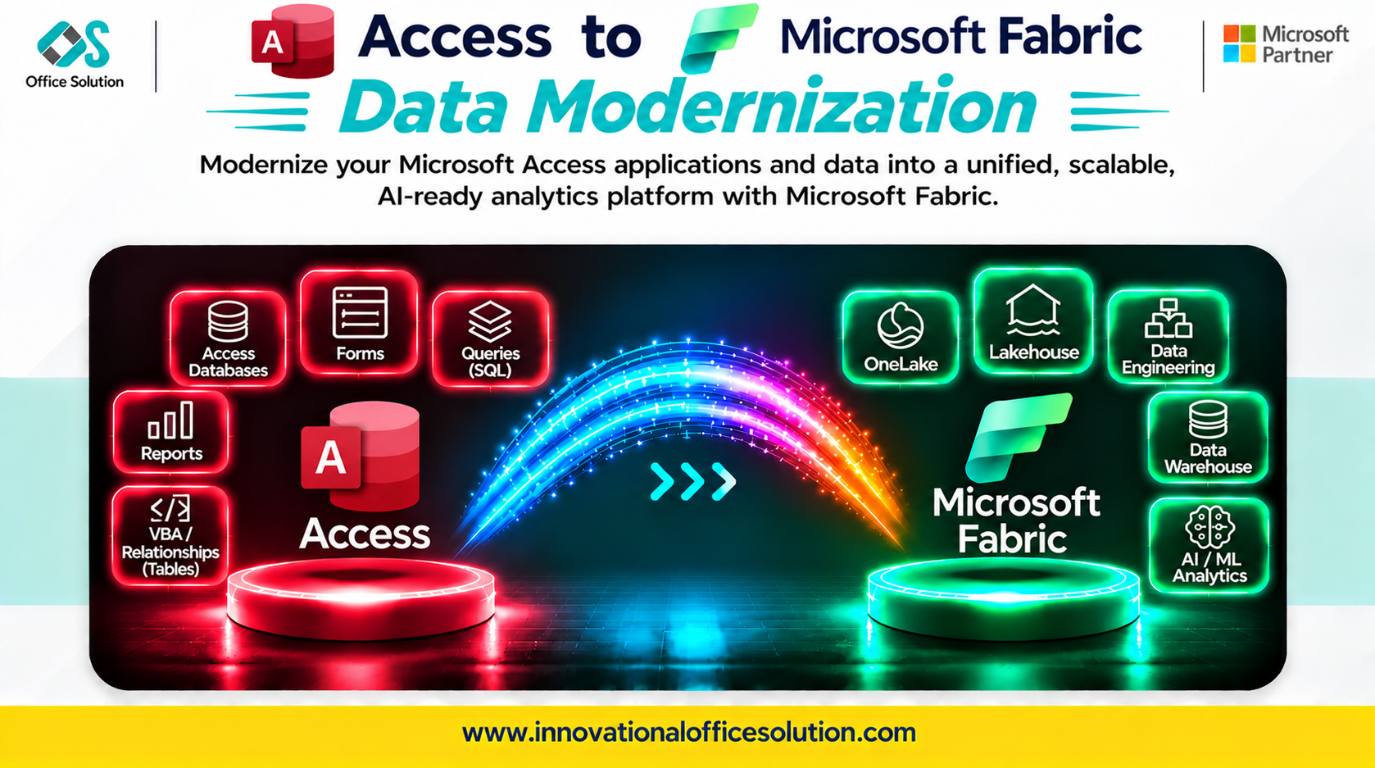
Table of Contents
Access to Microsoft Fabric Migration Accelerator: A Step-by-Step Case Study
Client profile: Business teams running critical operations on Microsoft Access databases and seeking modernization on Microsoft Fabric Lakehouse or Warehouse.
Solution: Pulse Convert Access to Fabric Accelerator by Office Solution AI Labs.
Automated accuracy claim: 70–90% of schema and structure mapping can be accelerated automatically, with the remainder requiring expert validation and business logic review.
Executive Summary
Moving from Access to Microsoft Fabric is not a simple data export. Access is a desktop file where data, queries, forms, and VBA live together. Fabric separates storage in OneLake, compute in Spark and SQL, and orchestration in Data Factory; Access-specific patterns need to be redesigned for these services.
Teams that only export CSVs and import them can encounter broken queries, lost business logic, and performance issues at real data volumes. This case study describes a practical migration process and how Pulse Convert accelerates repeatable structural work.
Step-by-Step Migration Process
Step 1: Inventory and Triage (Weeks 1–2)
Catalog each Access database (.accdb or .mdb) and classify its tables, queries, forms, reports, macros, and VBA modules.
- Key output: A migration backlog with three paths: archive data without rebuilding, lift simple tables to a Lakehouse, or rebuild complex query and VBA logic.
- Critical check: Identify saved queries and VBA-dependent logic first. Business rules embedded in queries, macros, and forms must be recreated and validated.
Step 2: Target Architecture Design (Week 2)
| Access pattern | Fabric target |
|---|---|
| Tables | Lakehouse Delta tables in the raw layer |
| Saved SELECT queries | Spark SQL views or PySpark transformations |
| Crosstab queries | PySpark DataFrame pivot operations |
| VBA business logic | PySpark notebooks or Data Factory pipelines |
| Forms and reports | Power BI reports on curated tables |
| Macros | Data Factory orchestration |
Follow a medallion pattern: land raw data in a Lakehouse, clean and shape it with Spark, and publish curated tables to a Warehouse. Prefer repeatable Fabric ingestion and transformation pipelines over manual CSV exports and imports.
Step 3: Schema and Logic Conversion (Weeks 3–6)
Create Lakehouse tables, migrate data, then rebuild query and VBA logic.
- Access SQL dialect: Convert bracketed identifiers, #MM/DD/YYYY# date literals, and functions such as IIF and NZ to Spark SQL equivalents such as CASE WHEN and COALESCE.
- VBA to PySpark: Redesign procedural loops and recordsets as vectorized, distributed transformations where appropriate.
- Crosstab queries: Rewrite TRANSFORM...PIVOT logic as DataFrame pivot operations.
- Linked tables: Repoint external sources to OneLake shortcuts or Fabric data pipelines.
- Scale and performance: Plan for skew, file sizing, and optimization when moving beyond Access's 2 GB database limit.
- Validation: Verify translated query outputs and business behavior against the source rather than assuming equivalent results.
Step 4: Validation and Reconciliation (Weeks 7–8)
Compare row counts, aggregates, and business KPIs between Access and Fabric. Run parallel reporting for at least one complete cycle.
Automate reconciliation. Manual spot checks can miss query translation errors and date or NULL handling differences.
Step 5: Cutover and Decommission (Weeks 9–10)
Move users to Power BI reports backed by Fabric and archive the original .accdb files. Track Access retirement as a governance milestone; migration value is realized when shadow databases stop being maintained.
Key Challenges in Access-to-Fabric Migration
| Challenge | Why it matters | Mitigation |
|---|---|---|
| Query logic sprawl | Business rules live in undocumented saved queries. | Inventory every query and validate outputs against the source. |
| VBA procedural logic | VBA does not translate directly to distributed Spark. | Rebuild as PySpark and document behavior before migration. |
| Access SQL syntax | IIF, NZ, bracketed identifiers, and date literals differ. | Transform to Spark SQL equivalents and test results. |
| Crosstab queries | TRANSFORM...PIVOT has no direct Fabric equivalent. | Rewrite as PySpark pivot operations. |
| File locking and corruption | Shared Access files can be fragile under concurrent use. | Move data to Delta tables on OneLake. |
| 2 GB size ceiling | Large datasets are often split across linked files. | Consolidate and scale data in OneLake. |
How Pulse Convert Accelerates the Journey
Pulse Convert Access to Fabric Accelerator targets structural inventory, schema inference, and standard query conversion.
What It Does Well
- Automates 70–90% of schema inference and object inventory for Access structures mapped to Fabric Lakehouse tables.
- Identifies candidate relationships and query patterns requiring rewrite.
- Flags VBA modules that need rebuilding.
- Reduces manual analysis so engineers can focus on logic redesign and validation.
What Still Needs Humans
- Rebuilding VBA logic as PySpark or Data Factory pipelines.
- Redesigning complex crosstab queries.
- Validating business rules and reporting outputs.
- Tuning performance for skew and small files.
No tool migrates VBA logic perfectly. Pulse Convert automates structural analysis and routes judgment calls to engineers; accuracy is validated against source behavior.
Next Step: Free POC
See Pulse Convert on your Access workload. We can analyze a representative database, propose a Fabric Lakehouse schema, and demonstrate mapping accuracy before you commit.
- Contact: Admin@innovationalofficesolution.com
- Free POC offer: Request a migration proof of concept
- Website: Innovational Office Solution
- Office Solution AI Labs — Microsoft Solution Partner


