Access to Power Platform Migration Accelerator: A Step-by-Step Case Study
 0|
 0
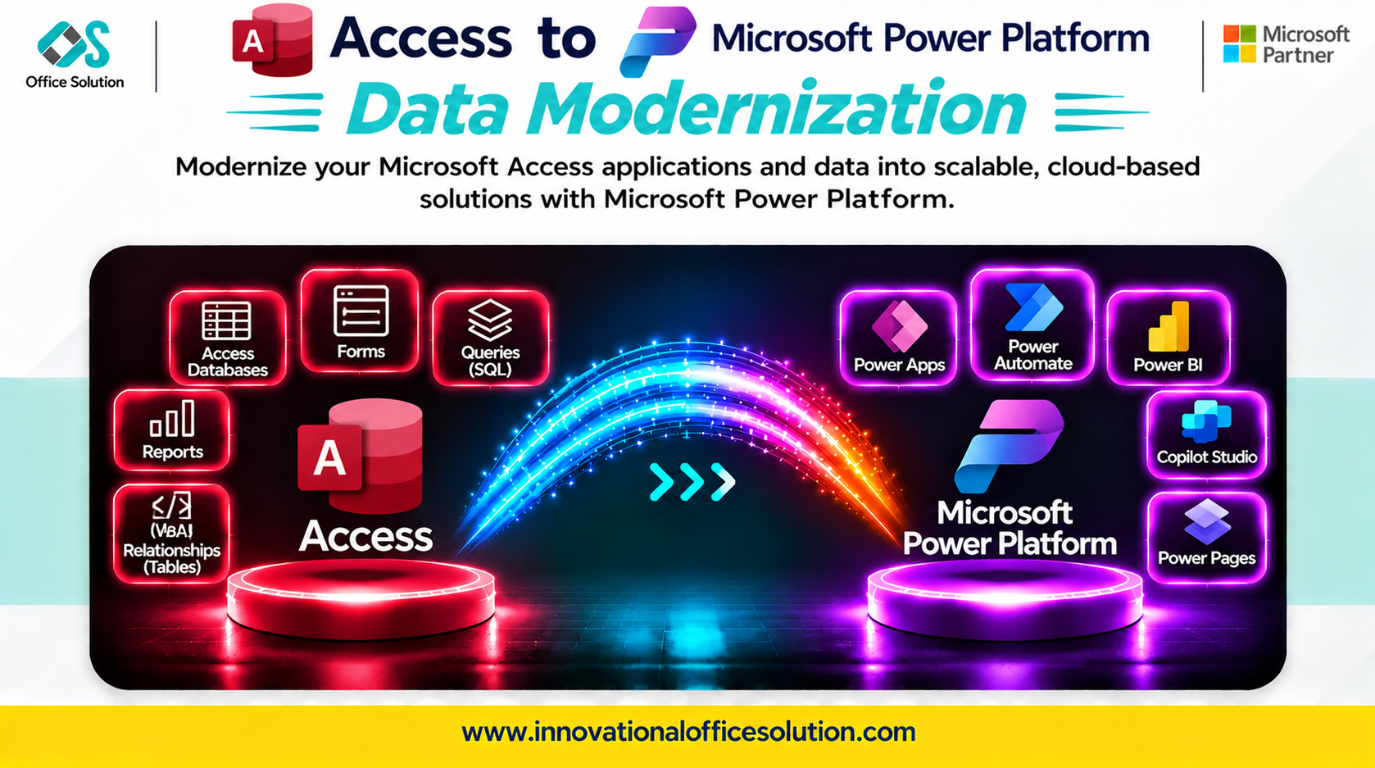
Table of Contents
Access to Power Platform Migration Accelerator: A Step-by-Step Case Study
Client profile: Business teams running critical operations on Microsoft Access databases, including tables, forms, VBA, and macros, and seeking modernization on Power Platform with Dataverse, Power Apps, and Power Automate.
Solution: Pulse Convert Access to Power Platform Accelerator by Office Solution AI Labs.
Automated accuracy claim: 70–90% of schema and structure mapping can be accelerated automatically, with the remainder requiring expert validation and business logic review.
Executive Summary
Moving from Access to Power Platform is not a simple database export. Access is a desktop application where forms, queries, VBA, and macros live together. Power Platform separates these concerns into Dataverse for data, Power Apps for the interface, and Power Automate or plugins for logic.
Teams that only link tables and rebuild screens can encounter non-updatable queries, delegation limits that truncate results, and licensing surprises. This case study describes a practical migration process and how Pulse Convert accelerates repeatable structural analysis.
Step-by-Step Migration Process
Step 1: Inventory and Triage (Weeks 1–2)
Catalog each Access database (.accdb or .mdb) and classify its tables, queries, forms, reports, macros, VBA modules, and linked backends.
- Key output: A migration backlog with three paths: archive data without rebuilding, lift simple tables and light forms to Power Apps, or rebuild complex VBA business logic.
- Critical check: Identify updateable queries and VBA-dependent forms first. Queries that update data in native Access may not remain updateable when linked to Dataverse.
Step 2: Dataverse Schema Design (Week 2)
| Access pattern | Dataverse or Power Platform target |
|---|---|
| Tables with primary keys | Dataverse tables with GUID or alternate keys |
| Enforced relationships | Lookup columns with enforced relationships |
| Updateable queries | Dataverse views or redesigned app-side logic |
| Free-text status fields | Choice columns |
| VBA business logic | Power Automate flows or Dataverse plugins |
| Forms with subforms | Power Apps model-driven or canvas apps |
Confirm licensing scope before design. Dataverse and premium connectors require appropriate licenses; SharePoint lists may be a lower-cost option for smaller, simpler solutions, with different capabilities and tradeoffs.
Step 3: Schema and Data Conversion (Weeks 3–6)
Create Dataverse tables, migrate and validate data, then rebuild application logic.
- Updateable query failures: Redesign Access queries as Dataverse views or app-side logic and test every form update path.
- VBA translation: Inventory and document VBA behavior. Rebuild business logic as Power Automate flows or Dataverse plugins; event-driven form logic usually needs redesign.
- Delegation limits: Power Apps has a 500-record default data row limit, configurable up to 2,000 for nondelegable queries. Design delegable, server-side filtering for larger datasets.
- Primary keys: Map Access keys to Dataverse GUIDs or alternate keys and validate dependent queries and forms.
- Data type mismatches: Review OLE Object, attachment, and calculated-field mappings before import.
- Automation leverage: Pulse Convert can inventory objects and propose schema mappings, but application behavior and business rules must be verified.
Step 4: App and Automation Build (Weeks 7–8)
Build Power Apps screens and Power Automate flows, then run them in parallel with Access for one business cycle.
Test delegation with realistic data volumes. A form that works with 100 test records may return incomplete results at production scale if filtering is not delegated.
Step 5: Cutover and Decommission (Weeks 9–10)
Migrate users, retire Access as the source of truth, and archive the original database files. Track Access runtime retirement and the end of shadow databases as governance milestones.
Key Challenges in Access-to-Power Platform Migration
| Challenge | Why it matters | Mitigation |
|---|---|---|
| Updateable query failures | Forms can break when queries become read-only. | Redesign as Dataverse views or app-side logic and test update paths. |
| VBA business logic | There is no automatic equivalent for all VBA. | Document and rebuild flows or plugins. |
| Delegation limits | Nondelegable queries can return incomplete datasets. | Use server-side filtering and test at production scale. |
| Licensing costs | Dataverse and premium connectors require licensing. | Confirm license scope before design; assess SharePoint for simpler workloads. |
| Primary key complexity | Access keys and query assumptions may not map directly. | Validate key mappings and query behavior. |
| Data type gaps | OLE Object and complex data types need decisions. | Document mappings and validate imported data. |
| Performance degradation | Linked-table behavior can differ from native Access. | Test realistic data and usage patterns before cutover. |
How Pulse Convert Accelerates the Journey
Pulse Convert Access to Power Platform Accelerator targets structural inventory, schema inference, and data mapping.
What It Does Well
- Automates 70–90% of schema inference and object inventory for Access structures mapped to Dataverse.
- Identifies candidate relationships and VBA modules that require rebuilding.
- Flags queries likely to lose updateability.
- Reduces manual analysis so makers can focus on logic redesign and app validation.
What Still Needs Humans
- Rebuilding VBA business logic as flows or plugins.
- Redesigning forms and event behavior.
- Choosing a delegation strategy.
- Validating business rules with stakeholders.
No tool migrates VBA logic perfectly. Pulse Convert automates structural analysis and routes judgment calls to makers; results are validated against the source rather than assumed correct.
Next Step: Free POC
See Pulse Convert on your Access workload. We can analyze a representative database, propose a Power Platform schema, and demonstrate mapping accuracy before you commit.
- Contact: Admin@innovationalofficesolution.com
- Free POC offer: Request a migration proof of concept
- Website: Innovational Office Solution
- Office Solution AI Labs — Microsoft Solution Partner


