Why 2026 is the Year for BI Modernization: A Strategic Guide to Tableau to Power BI Migration
 0|
0| 0
0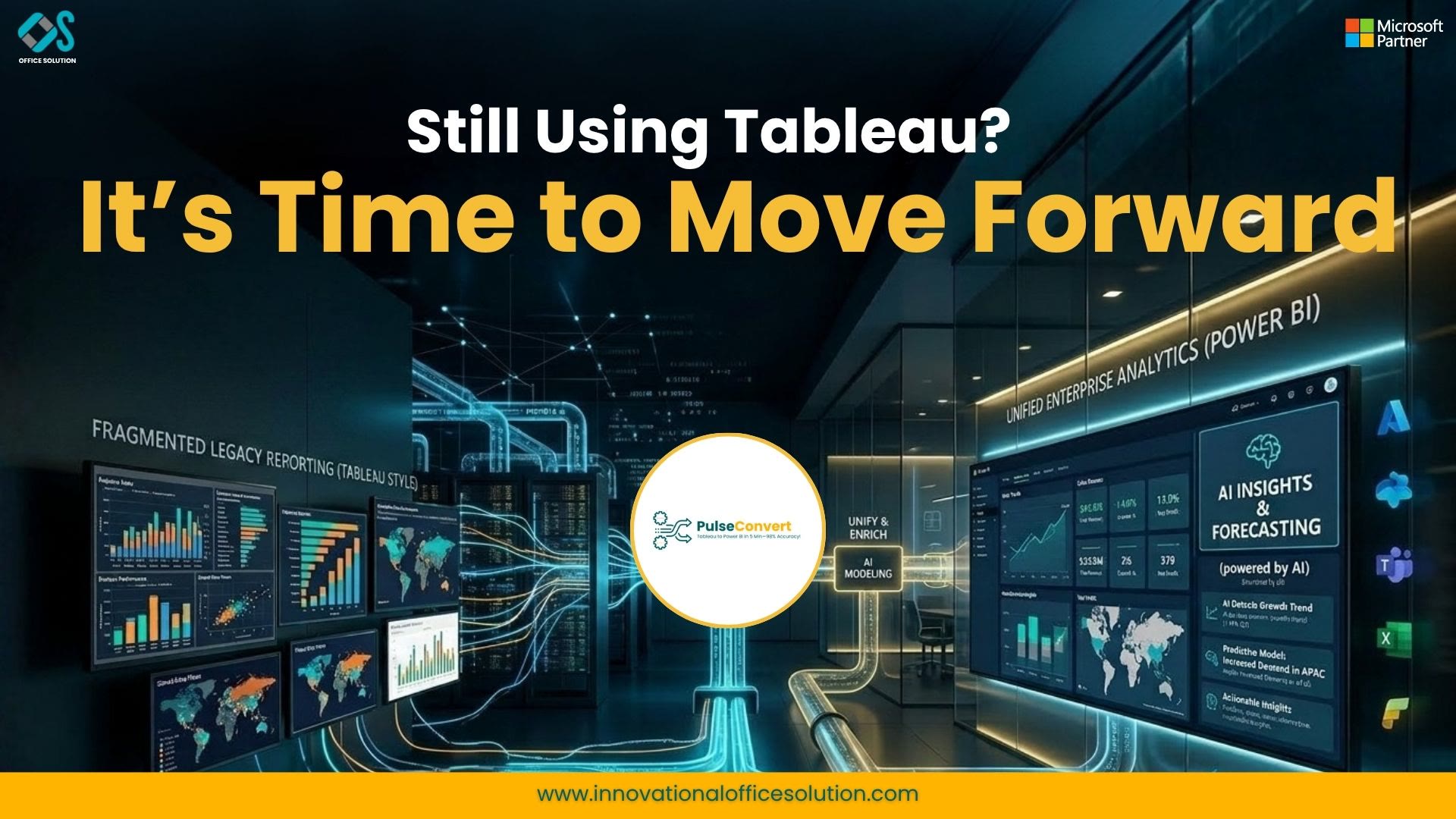
Table of Contents
The argument between Tableau software and Power BI has moved from simple feature comparisons to long-term ecosystem value in the quickly changing field of data analytics. As we move through 2026, the switch from Tableau to Power BI has become a key component of contemporary BI modernization plans. Organizations are no longer just looking for "another visualization tool"; they are seeking a unified enterprise decision automation platform that bridges the gap between raw data and actionable intelligence.
Understanding the Differences Between Tableau and Power BI
Tableau and Power BI are both Tier-1 data visualization solutions, but their architectural philosophies are where they diverge most. Tableau has long been celebrated for its "visualization-first" approach, offering immense freedom for artistic data exploration. However, the modern enterprise demands more than just pretty charts; it requires a "model-first" philosophy.
Power BI delivers a smooth Microsoft ecosystem integration (Azure, Teams, Excel, and Microsoft Fabric) that is difficult for contemporary businesses to overlook. When you migrate from Tableau to Power BI, you aren't just changing your UI; you are heading toward a unified semantic layer that streamlines data governance throughout the company. This shift allows for a single source of truth, reducing the "data silos" that often plague organizations using disconnected analytics tools.
The Economic Catalyst: Why Organizations are Switching Now
In the current fiscal climate of 2026, the Total Cost of Ownership (TCO) is a primary driver for migration. Tableau’s licensing model, while robust, often carries a premium that becomes difficult to justify when Power BI offers comparable—and in some cases, superior—capabilities at a fraction of the cost, especially for organizations already committed to the Microsoft 365 suite.
Beyond licensing, the cost of "technical debt" is rising. Maintaining legacy Tableau workbooks that don't talk to modern cloud data warehouses like Snowflake or BigQuery efficiently creates a drag on performance. By choosing a tableau vs power bi which wins 2026 mindset, leaders are realizing that Power BI’s native connectivity to Azure Synapse and Microsoft Fabric provides a future-proof foundation that Tableau struggles to match without significant third-party middleware.
Migration Strategy from Tableau to Power BI
There is more to an effective migration than simply re-creating charts. To guarantee data integrity and user adoption, a structured tableau to power bi migration strategic guide 2026 is required. A haphazard "lift and shift" approach often results in broken logic and frustrated end-users. Instead, consider this 5-stage technical framework:
1. Estate Discovery & Rationalization
Before moving a single byte, you must audit your Tableau Server environment. Over years of use, most enterprises accumulate "Ghost Reports"—dashboards that were built for a one-time meeting three years ago and haven't been opened since.
- Action: Categorize workbooks into "Migrate," "Retire," or "Consolidate."
- Goal: Reduce the migration footprint by at least 30% through rationalization.
2. Metadata Node Parsing
Tableau workbooks (.TWB and .TWBX files) are essentially XML files. To migrate effectively, you must deconstruct these files to extract connection strings, metadata, and underlying SQL queries. This is where automation becomes vital. By parsing the XML, you can map data sources directly into a clean Power BI Project (.PBIP) structure, ensuring that the "plumbing" of your reports remains intact.
3. Solving the Logic Gap (DAX vs. Calculated Fields)
The most significant technical hurdle is the transition of logic. Tableau uses a visualization-centric logic where calculations often depend on what is currently in the "view." Power BI, conversely, uses DAX (Data Analysis Expressions), which is model-centric.
- The LOD Challenge: Tableau’s Level of Detail (LOD) expressions like FIXED, INCLUDE, and EXCLUDE must be meticulously rebuilt using DAX functions like CALCULATE, ALLSELECTED, and SUMMARIZE.
- The Parameter Shift: Tableau parameters must be converted into Power BI "What-if" parameters or filtered DAX measures to maintain the same level of interactivity.
4. Visual Reconstruction & UX Design
User adoption depends on familiarity. While you want to leverage Power BI’s unique features, your users will initially look for the "Sheet" philosophy they knew in Tableau. You must port this into the Power BI "Page" architecture. This is also the time to implement a standardized UI/UX theme across all dashboards, something that is often easier to govern in Power BI through JSON theme files.
5. Microsoft Fabric & Copilot Optimization
In 2026, a migration isn't complete without optimizing for AI. The final stage involves preparing your data for Microsoft Copilot. By moving your semantic layer into Microsoft Fabric, you enable "Direct Lake" performance, allowing Copilot to answer natural language business questions with millisecond latency.
Why Automation is the Game Changer
Manual migration used to be a bottleneck that lasted months or even years. The "human-in-the-loop" approach is prone to "Logic Drift," where the person rebuilding the report slightly misinterprets a complex formula, leading to different numbers in the new system.
These days, tableau to powerbi zero downtime is possible thanks to AI-powered accelerators like Pulse Convert. These tools achieve 75-90% initial accuracy by automatically translating XML schemas. This lowers human error and speeds up time-to-value, allowing your senior data architects to focus on high-level strategy rather than the tedious task of copying and pasting formulas.
| Feature | Manual Approach | Pulse Convert (AI-Driven) |
|---|---|---|
| Timeline | 6+ Months | Days to Weeks |
| Accuracy | Subjective | 75% - 90% (Automated) |
| Cost | High Labor Costs | Predictable Platform Fee |
| Scalability | Limited by Headcount | Unlimited |
Overcoming Resistance to Change
One of the greatest challenges in any BI modernization project is the "People Gap." Power users who have spent a decade mastering Tableau may be hesitant to learn a new syntax. To overcome this:
- Run a Pilot Program: Start with a high-visibility but low-complexity department (like HR or Sales).
- Highlight the Wins: Show how Power BI’s integration with PowerPoint and Teams makes their lives easier.
- Use a Side-by-Side Validation: Use our Free Trial to show users the original Tableau report next to the new Power BI version, proving the data is identical.
Future-Proofing with Microsoft Fabric
As we look toward the end of 2026 and into 2027, the role of BI is shifting toward "Augmented Analytics." The migration from Tableau to Power BI isn't just about saving money; it’s about positioning your company to use the next generation of AI tools. With Power BI as your front end and Microsoft Fabric as your data lakehouse, your organization can move from "What happened?" to "What will happen?" using integrated machine learning models that Tableau often requires separate, expensive extensions to achieve.
Conclusion: Take the First Step
The window for "evaluating" a move is closing; the competitive advantage in 2026 belongs to those who have already modernized their data stacks. By utilizing an automated BI conversion tool, businesses can maintain business continuity and ensure that their decision-making processes never skip a beat.
Are you ready to stop managing legacy debt and start driving innovation? You can begin your journey with a Free Trial on the Microsoft Marketplace to test how our AI-driven BI migration solutions manage complicated workbooks. If you have specific architectural questions or need a customized roadmap for your enterprise, please Contact us today to speak with one of our migration specialists.
Key Takeaways
- Strategic Shift: In 2026, "model-first" enterprise decision automation platforms will replace "visualization-first" technologies.
- Ecosystem Advantage: Compared to standalone products, Power BI's natural integration with Microsoft Fabric and Copilot offers a future-proof AI foundation.
- TCO Optimization: By utilizing current Microsoft 365 licensing and reducing technical debt, organizations are drastically reducing their Total Cost of Ownership.
- Automation is essential: With 90% accuracy, AI-powered solutions like Pulse Convert have cut migration times from months to weeks.
Frequently Asked Questions (FAQs)
1. What will be the largest obstacle to migrating from Tableau to Power BI in 2026?
Converting Tableau's visual-dependent Level of Detail (LOD) expressions into Power BI's model-centric DAX (Data Analysis Expressions) presents the main "Logic Gap" challenge.
2. Is it possible to automate the Tableau to Power BI migration?
Indeed. Tableau's .TWB XML files can be parsed and automatically mapped to Power BI structures using contemporary AI-powered accelerators like Pulse Convert, removing the need for human reconstruction.
3. Why are businesses switching from Tableau to Power BI?
To enable seamless AI insights via Copilot and lower costly license overheads, the majority of businesses are moving to integrate their data stack within the Microsoft ecosystem (Azure, Fabric, Teams).
Featured In Press Releases